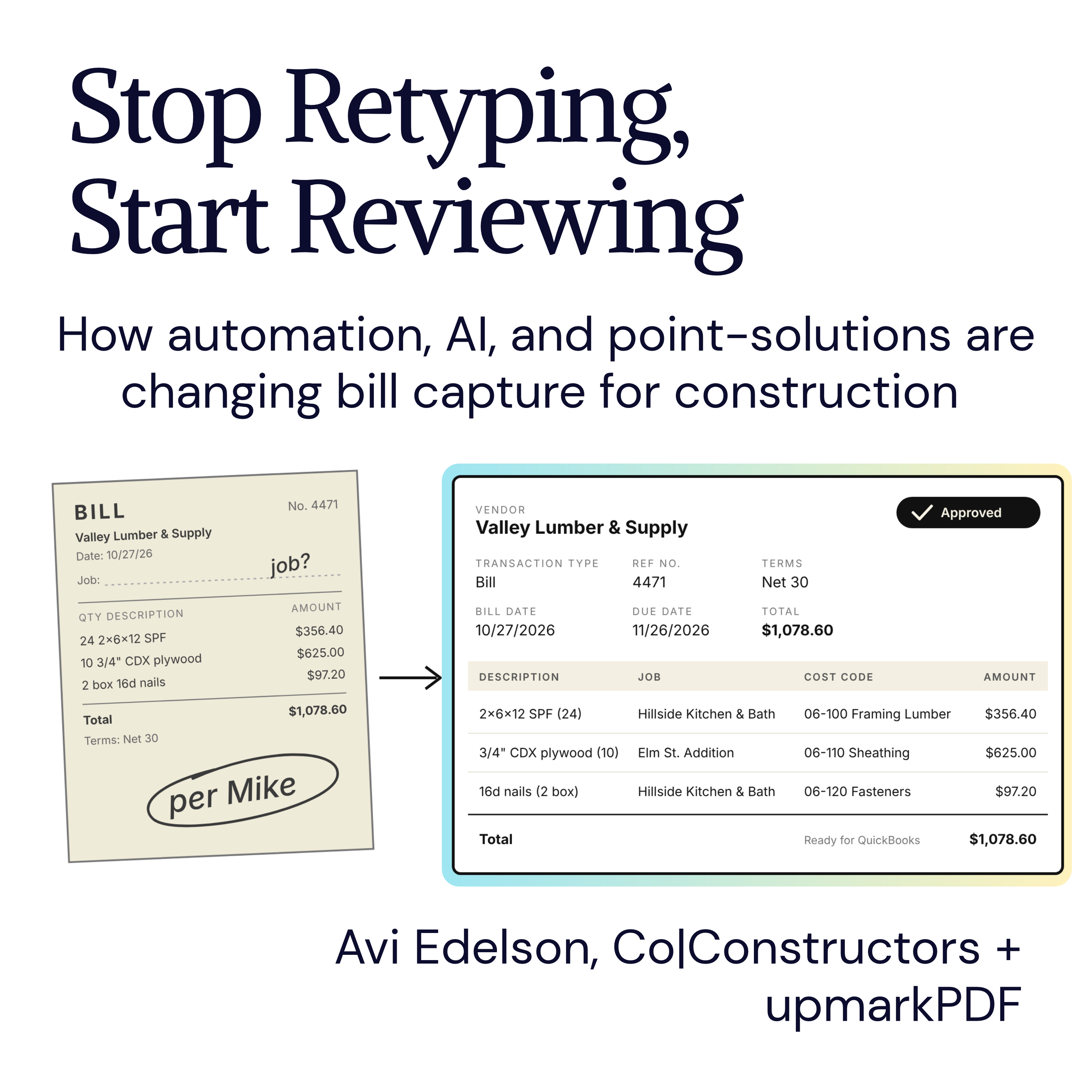
Before a bill ever shows up in your accounting software, a surprising amount of work has already happened. Someone had to receive it, figure out what it was, decide which job and cost code it belongs to, check it against the PO or contract, get it approved, and finally enter it. That work has a name: pre-accounting. Every business does it, but very few treat it as its own process. It usually gets lumped in with bill pay or written off as “data entry.”
That’s a missed opportunity, because pre-accounting is where most of the accuracy in your books is won or lost, and it’s also the part that’s easiest to improve. Automation, AI and focused software tools can make pre-accounting faster, more accurate and more flexible. They don’t replace the people who know the jobs. They clear away the busywork that keeps those people from weighing in.
1. A Familiar Monday
It’s Monday, and the bills are already piling up in the AP inbox. You open one from a regular vendor and notice it doesn’t mention a job. You forward it to the PM. Two days later, they reply with the job and ask you to send it to the site supervisor for review. You do, and wait another two days. A week or more after it arrived, the bill finally makes it into QuickBooks Online (QBO). In construction, where bills arrive all day, every day and are often missing key details, this happens constantly.
Look closely at that week and you’ll notice that almost none of it was spent thinking. The PM knew the answer right away. The supervisor needed thirty seconds to confirm it. The rest was waiting: for an email to be read, for a forward to land, for someone to get back to the office. Then the bookkeeper typed everything in by hand, field by field, from a PDF into QBO.
That’s the opportunity. Most of the time spent on pre-accounting goes to moving information around, not to making decisions about it.
2. Where the Time Actually Goes
Break a typical bill down and the work usually falls into two categories.
Mechanical work:
Downloading attachments and saving them somewhere
Typing the vendor, date, invoice number, amounts and line items
Looking up the right job, cost code or account
Forwarding the bill to the right person for review
Following up when they don’t answer
Re-entering everything in the accounting system and attaching the document
Judgment work:
Deciding which job or cost code a purchase belongs to when it isn’t obvious
Catching a price that doesn’t match the PO or contract
Approving a bill, or pushing back on it
The mechanical work takes most of the time, while the judgment work is where the value is. Good pre-accounting tools flip that ratio by automating the first list so people can spend their time on the second.
3. What Automation Does Well
Each step of pre-accounting has a piece that can be automated:
Capture: Bills can be forwarded to a dedicated email address or uploaded in batches instead of being saved one at a time into a folder system.
Extraction: AI-powered OCR reads the document and pulls out the vendor, date, invoice number, totals and line items, so nobody has to type them.
Lookup: When your jobs, cost codes and vendor details live in a shared database, coding a line becomes a quick selection instead of a search through a spreadsheet or someone’s memory.
Routing: Approval rules send a bill to the right person automatically, based on the project, the vendor or the dollar amount. Nobody has to remember who reviews what.
Handoff: Once a bill is approved, it goes into the accounting system with its coding and the original document attached, so nothing gets re-keyed.
None of these is dramatic on its own. Together, they remove most of the handoffs that made our Monday bill take a week.
4. Where AI Fits, and Where It Doesn’t
There’s a lot of noise about AI in accounting right now, so let's be specific.
AI is very good at reading documents. It can pull data off a messy invoice, a photo of a receipt, or a multi-page statement far faster than a person can type it. It can also suggest coding based on the vendor and the line items, and it’s getting better at it.
What AI doesn’t have is context about your jobs. It doesn’t know the lumber on this invoice was for the Smith kitchen and not the Jones addition, or that this sub’s bill includes work that’s covered by a change order. That knowledge lives with your PMs and supervisors, and in construction it’s what makes the books accurate.
So the right model is this: AI drafts and people decide. The software reads the bill and proposes the coding. Someone with context confirms it or fixes it. That’s faster than starting from scratch, and it’s more accurate than either one working alone. It also changes the job of reviewing a bill. Instead of filling in a blank form, your team is checking a completed one, which takes a lot less time and attention.
5. Why Focused Tools Do This Better
Most accounting platforms try to be a one-stop shop, and they tend to treat pre-accounting as an afterthought. Their focus, and their revenue, is in paying bills and collecting payments, not in getting the information right before that happens. That gap matters even more when it comes to automation.
A tool that does one job well can go deep on it. It can build extraction that handles construction documents, coding that works line by line across multiple jobs, and approval rules that match how construction companies actually work. A platform trying to do everything usually gets a basic version of each feature, and it tends to update those features slowly.
Focused tools also give you more flexibility. If your pre-accounting lives in its own tool, you can change accounting systems, payment tools or project management software without rebuilding your intake process from scratch. And because each tool has a narrow purpose, the people who only need one piece of it, like a PM approving bills from the job-site, only have to learn that one piece.
The usual objection is that more tools mean more complexity. That’s true when the tools don’t talk to each other. When they’re connected, so bills flow from intake to approval to the accounting system without being re-keyed, a focused tool removes complexity instead of adding it.
6. Faster, More Accurate, More Flexible
Here’s what the combination delivers.
Faster. Bills reach the books in hours instead of days, because nobody is retyping them and nobody is waiting on a forwarded email. That makes job-cost reports more current and month-end close less of a scramble. On cost-plus and time-and-materials jobs, it means you can bill clients sooner.
More accurate. Data extracted from the document produce less typos. Coding chosen from a shared list (synced via QBO, for example) can’t be misspelled or made up. Review by the person who knows the job catches what the bookkeeper couldn’t. And because the original document travels with the record, anyone can check the numbers later.
More flexible. Approval rules can change as your team changes. New jobs and cost codes are added once and available to everyone. Your intake process doesn’t depend on any single accounting system, so it can grow or move with the business.
7. Where to Start
You don’t need to automate everything at once. A few practical steps:
Map your current intake. Follow a handful of bills from arrival to entry. Note where they wait and who touches them.
Clean up your lists. Automation is only as good as the jobs, cost codes and vendor information behind it. Getting these into one shared place is often the biggest single improvement.
Write down your approval rules. Who needs to see what, and when? If the answer is “it depends,” figure out what it depends on.
Start with one stream. Pick your highest-volume vendors or your busiest job and run them through the new process first.
Measure the time from arrival to entry. It’s the simplest way to see whether things are improving.
Closing: Let the Software Carry the Paper
The goal of automating pre-accounting isn’t to take people out of it. It’s to put them in the right place. Your bookkeeper shouldn’t be a typist. Your PM shouldn’t be digging through email to find a bill. Your site supervisor shouldn’t have to wait until they’re back in the office to approve something they could confirm in thirty seconds from the truck.
When the software does the reading, retyping and routing, the people with the knowledge can do the part only they can do: make sure every bill is right. That’s how you get books that are faster, cleaner, and a better reflection of what’s actually happening on your jobs.
Want to go deeper on what pre-accounting is and why it deserves its own place in your business? Read “Pre-Accounting: where good books start?. Or see how upmarkPDF handles it at upmarkPDF.com